Did you know that your blog's reach can significantly increase when you convert a blog post to PDF? It is very easy to use your existing work to attract more visitors, not only to your blog but to other websites too. Select your best articles or latest posts and easily convert them into polished PDFs. Not sure how? Keep reading for a quick and efficient solution.
How to Convert a Blog Post to PDF for Free: Step-by-Step Guide
You do not need to download or install any software to create a PDF from your blog article. You can do everything online.
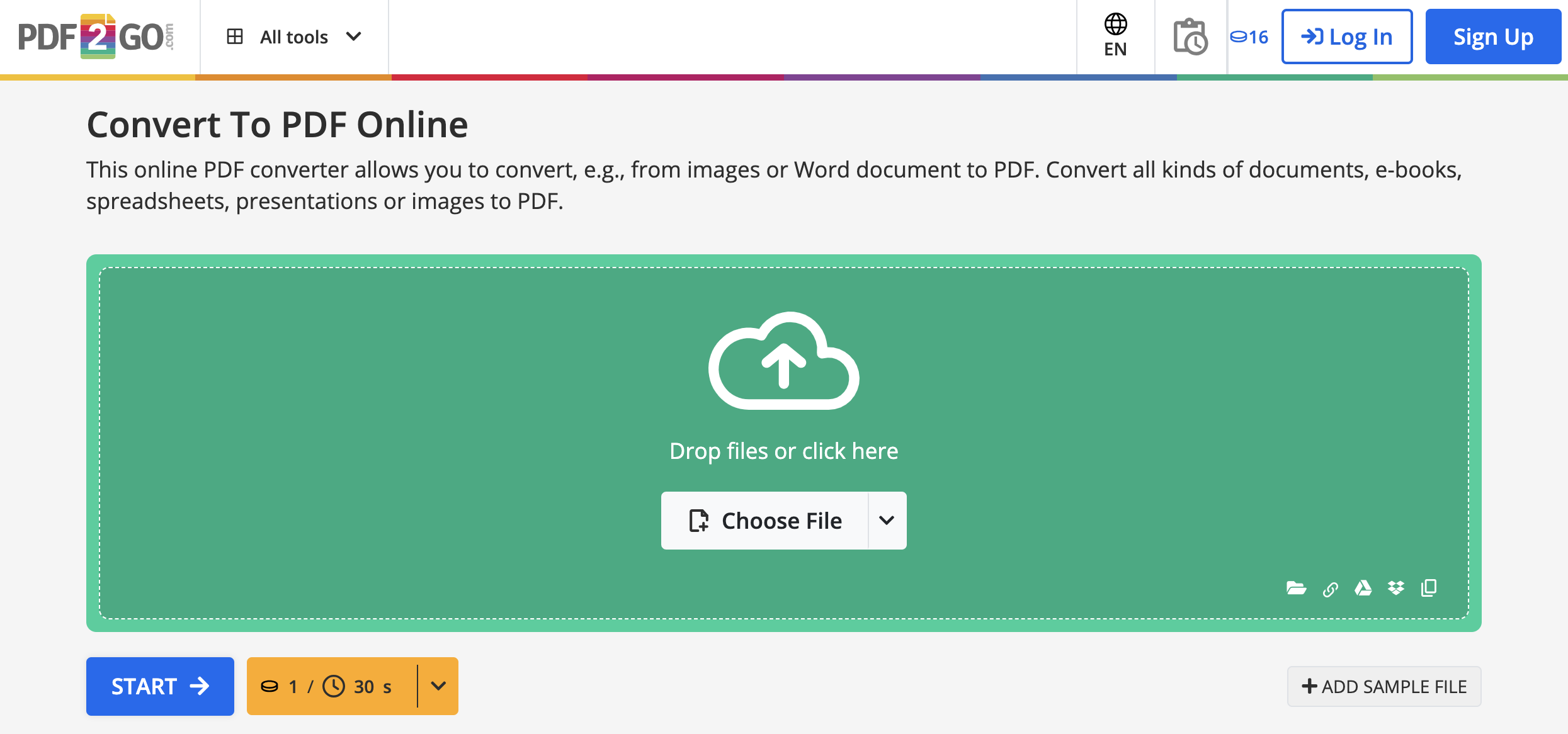
Here is how:
- Go to Convert to PDF
- Enter the URL of your blog article into the URL field.
-
You have these options:
- Choose "Convert" (turn scanned pages into images) or Convert with OCR (turn scanned pages into editable text).
-
Optional settings:
- Deskew (fix tilted images)
- Choose the PDF version you want
- Click "START".
- When the conversion is finished, your PDF is ready. Click the "Download" button.
- Open the PDF to read your blog post.
These five simple steps give you a PDF version of your blog article, including images, links, graphics, and tables.
Make the Most of Your Converted Blog Post
Now that your blog post is a PDF, it is time to use it.
Here are some ways to increase its reach:
- Share on social media: Share the PDF link on your social media channels. Write short posts that highlight key points from the blog and invite users to download and read the full content.
- Email newsletter: Include the PDF link in your email newsletter.
- Website promotion: Create a dedicated landing page on your website for the downloadable PDF. Promote this page on your homepage and other key sections.
- Collaborate with influencers: Work with influencers or experts in your field who can share your PDF with their audience for extra exposure.
- Content sharing platforms: Upload the PDF to platforms like SlideShare, Scribd, or Issuu to increase visibility and discovery.
- Content: Turn the PDF into smaller, easy-to-consume pieces such as infographics, slides, or social media posts. Share these snippets and link to the full PDF.
- Guest posting: Offer the PDF as a resource when guest posting on other blogs. This can build your credibility and attract new readers.
- Optimization: Optimize the PDF file name, title, and metadata for search engines. This can improve its chances of appearing in relevant search results.
- Engagement incentives: Offer incentives for readers to share the PDF, such as exclusive content, discounts, or entry into a giveaway.
- Webinars and workshops: Host webinars or workshops based on the PDF content and use it as reference material. This can attract a live audience and generate interest.
- Paid promotion: Use targeted online ads to promote the PDF to a specific audience and extend your reach beyond organic traffic.
- Collaborative marketing: Partner with complementary brands or businesses to co-promote the PDF and reach their audiences too.
- Podcasts and interviews: Mention the PDF in podcasts, interviews, or guest appearances and direct listeners to the full content.
- Engage with comments: Encourage readers to comment on the PDF and join the discussion. This helps build a sense of community and keeps the conversation going.
Remember, consistency is key. Keep promoting your PDF through different channels and adjust your strategy based on the feedback and engagement you receive.
In Conclusion
The potential of converting blog posts to PDFs is clear. By following these simple steps, you can expand the reach of your content, engage a larger audience, and reuse what you already have. Try converting to PDFs today and open up new ways for your content to stand out.


